
Trade show trip planner: several shows, one route
Updated 24 October 2026 · 4 min read
FindExpo's trip planner turns the trade shows in your calendar into one route. It orders the events by date, adds the flights between cities with the latest fare found on Aviasales, estimates hotels for every stop and totals the trip — so in a minute you see whether three shows in one journey cost less than three separate trips. It is free and works without an account.
How it works
- 1Add trade shows to your calendar with the calendar button in search, on an event page or on the map.
- 2Open Calendar → Route & fares and choose your departure city.
- 3FindExpo orders the stops by date and prices every flight: out, between cities and back home.
- 4Switch an event off and the total updates. On long breaks the planner suggests flying home in between.
- 5Add your own stop (a city without a show), download the route as a PDF or share a link.
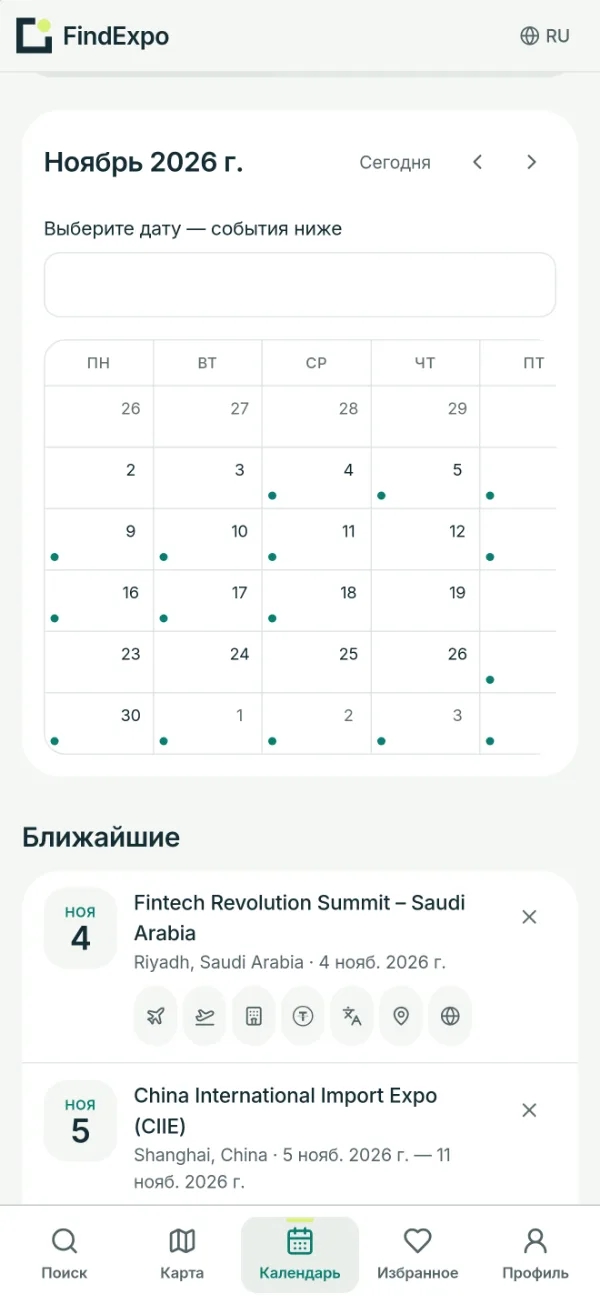
Three ways to see the route
- Timeline — shows in date order with the flight and its price between each pair.
- On the map — the same cards laid out by geography; cards can be dragged.
- Map pins — numbered points on a world map with route lines and prices.
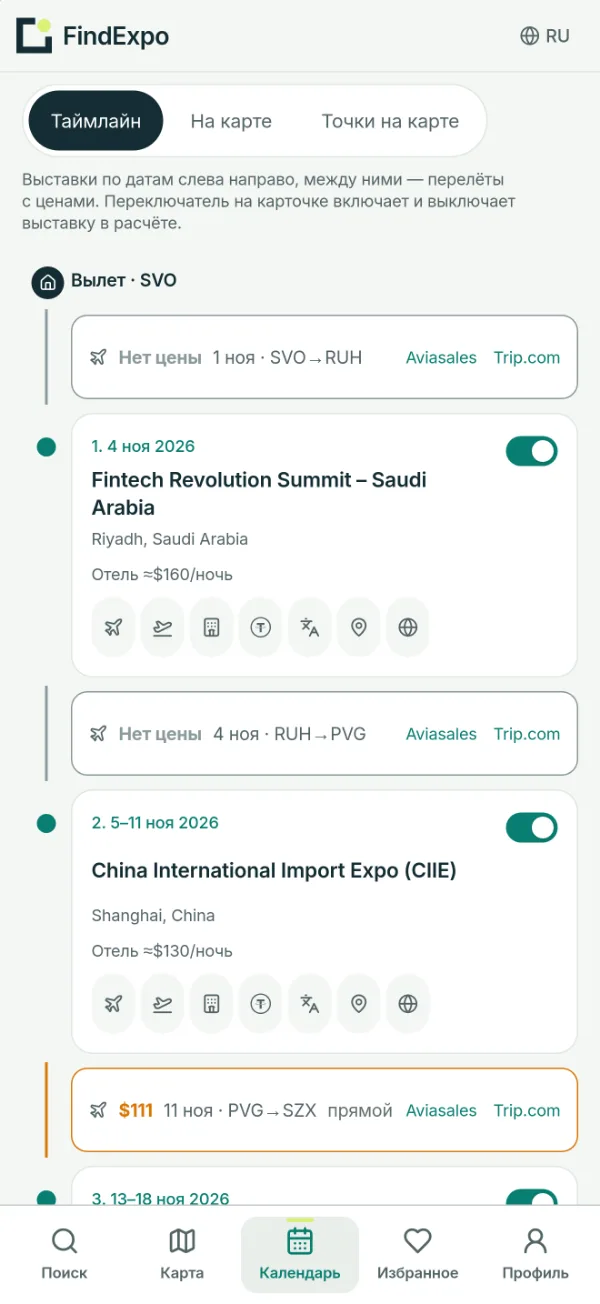
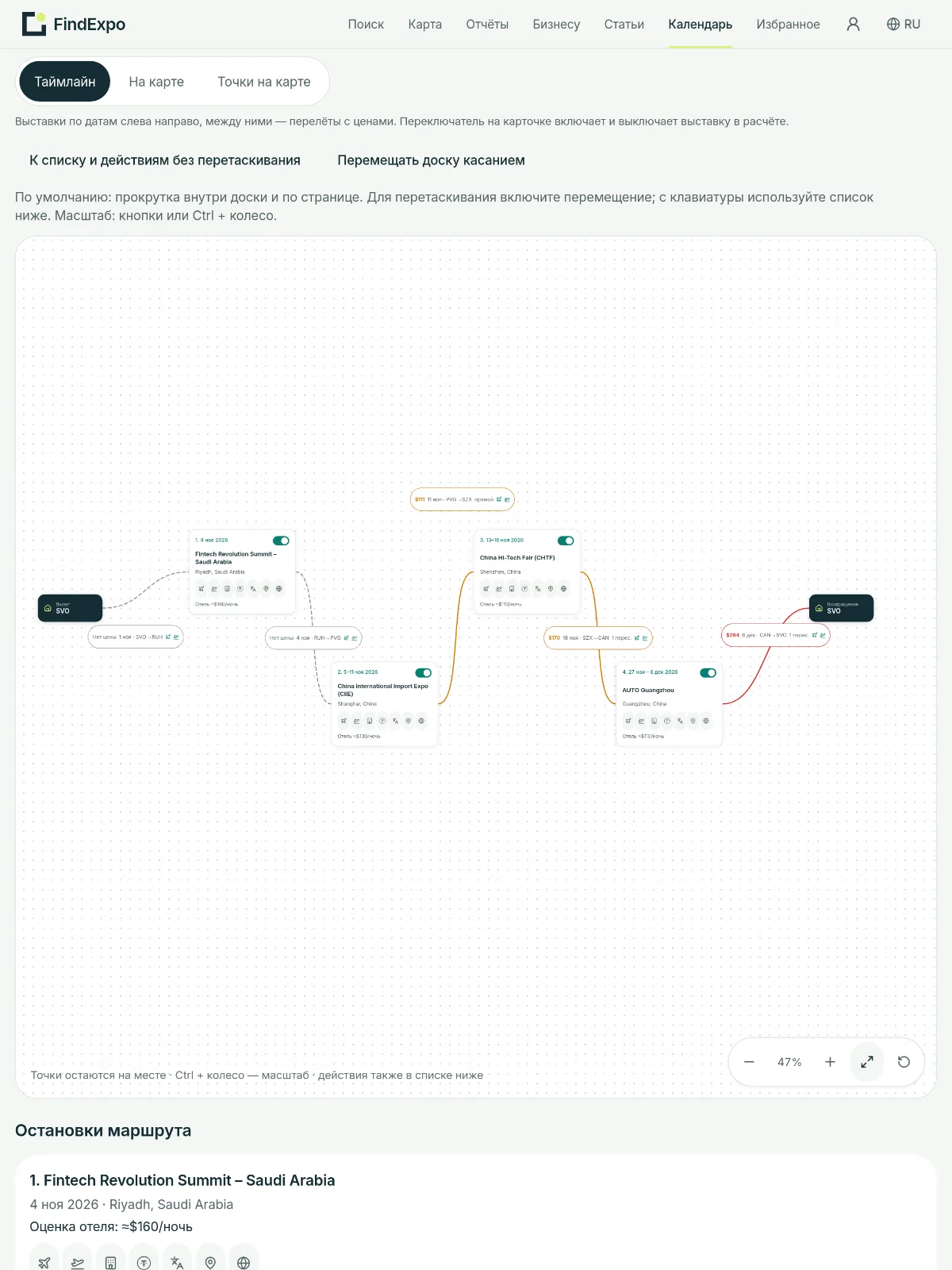
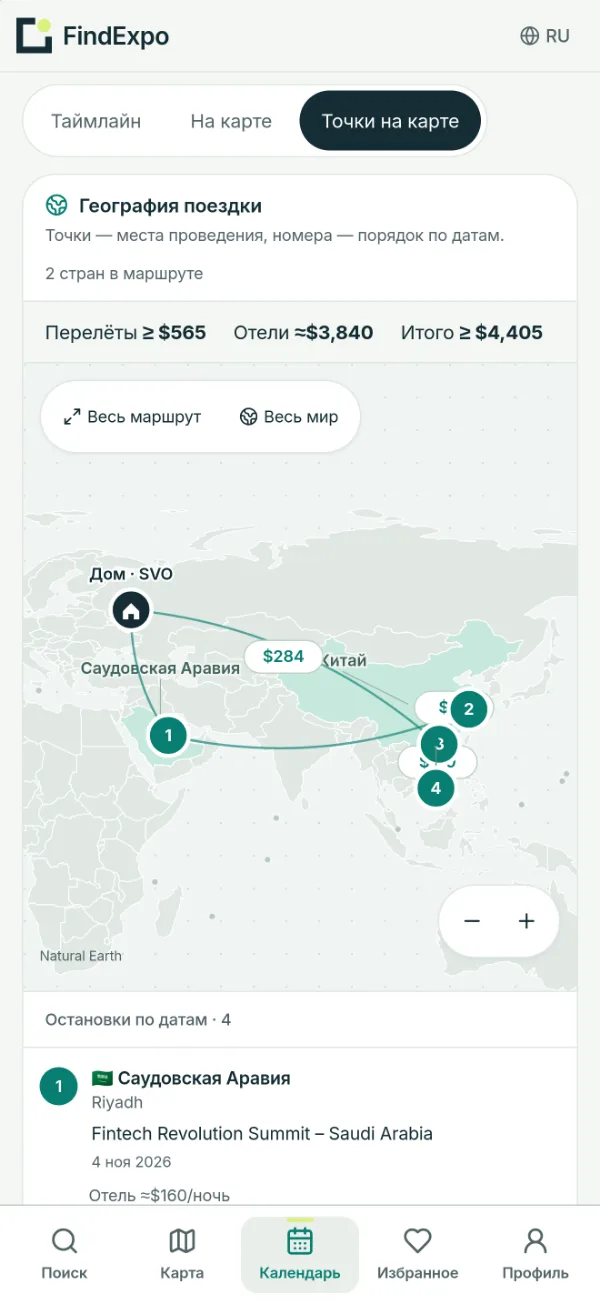
Example: four shows in Saudi Arabia and China
| Stop | Dates | City |
|---|---|---|
| Fintech Revolution Summit | Nov 4, 2026 | Riyadh |
| China International Import Expo (CIIE) | Nov 5–11, 2026 | Shanghai |
| China Hi-Tech Fair | Nov 13–18, 2026 | Shenzhen |
| AUTO Guangzhou | Nov 27 – Dec 6, 2026 | Guangzhou |
Departing Moscow, prices found on 23 October 2026: flights from $565 for 5 legs, hotels ≈ $3,840, total from $4,405. Two legs had no fare yet, so the total is a lower bound. The planner also spotted that flying home between Shenzhen and Guangzhou saves $435.
Where the numbers come from
Flights are the latest fares found on Aviasales for your dates; the Check flights button asks for fresh ones. Hotels are a nightly estimate for the city times the number of nights. Every leg links straight to flights on Aviasales or Trip.com and hotels on Trip.com, and Travala is linked for paying in USDT. These are estimates, not bookings: check the final price before you buy.
Where else it works
After sign-in the calendar syncs across your devices, and the Telegram bot @expotravel_bot shows the same route with flight and hotel links. The site works on phones and tablets.
FAQ
- Is the trip planner free?
- Yes, completely, and it works without an account. Sign in only if you want the calendar on all your devices.
- How accurate are the flight prices?
- They are the latest fares Aviasales found for your dates. Fares change, so totals are shown as "from" and you should check the price through the link before buying.
- Can I add a city without a trade show?
- Yes: Your stops → Add a stop, for a meeting, a break or a connection. It appears in the route, the PDF and the Telegram bot.
- What if two shows run on the same dates?
- The planner flags overlapping dates on the cards; switch one show off and the total is recalculated.
- Can I print the route?
- Yes, Download PDF saves the route with dates, flights and links.
Read next
Find a show for your product
Describe your product in plain words — search matches events worldwide and estimates the trip budget.
Open search